


Discover the newest OPENLANE App
Bidding made easy, anywhere
Your business doesn’t stop when you leave your desk — and neither should your auctions.
With the OPENLANE app, you can find the right vehicles, follow auctions, place bids and stay up to date wherever you are. The renewed mobile experience makes it faster and easier to act on opportunities when they matter.
Find. Bid. Win. Wherever business takes you.
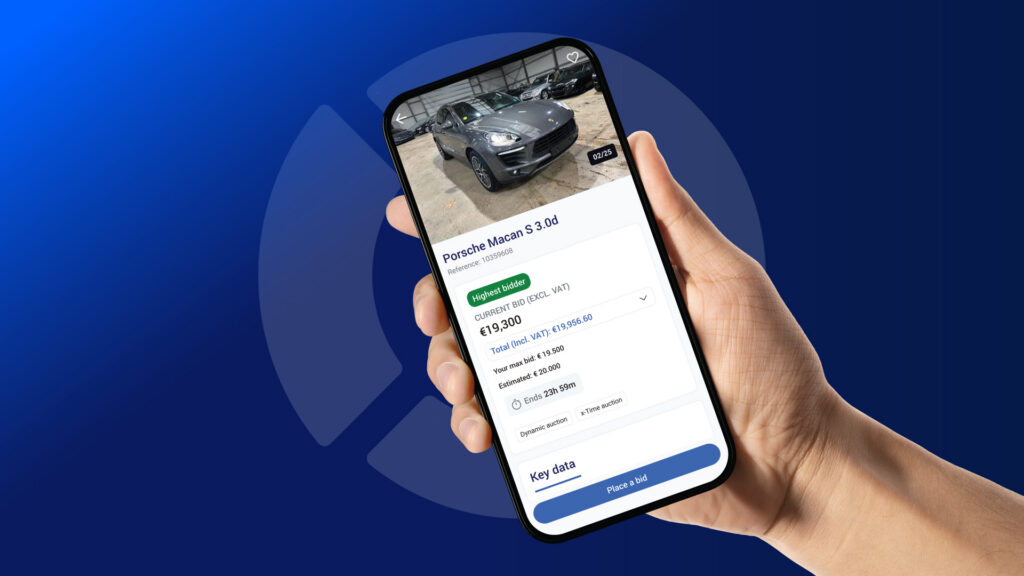


Buy with ease,
Anywhere.
DISCOVER. BID. NEGOTIATE. ANYWHERE.


What’s new in the OPENLANE app
Discover all benefits
1
Find cars quickly
Search for vehicles based on all sorts of parameters, including: Make, Model, Price, Mileage, Fuel type and more (identical to the website)
Tip: use the free text search!
Never miss an auction! They’re sorted by end date, so you can quickly see which auctions need your attention first.
All the information you need about a car that’s up for auction is on the car details page, including: Car profile, Included equipment, Damage report, Delivery options and more.
2
Browse auctions and place bids when it suits you
The app lets you place and manage bids when it’s convenient for you. You can also keep track of any bids you placed on the website, so you’re never chained to your desk.
Mobile bidding with the OPENLANE app is a piece of cake. Simply:
- select a quick bid amount; or
- type in the amount of your choice.
Tip: We know how easy it is to hit buttons accidentally when using a mobile device. Activate the double confirmation option and you’ll never have to worry about placing a bid you didn’t intend to.
3
Win more auctions!
Winning an auction isn’t a guaranteed sale. The seller still needs to accept your offer.
Ultimo helps customers maximise the chance of being assigned a vehicle. It gives you an extra five minutes in which you can make your best and final offer. When you receive the notification that the auction has ended and you are the highest bidder, you can immediately raise your bid to entice the seller to accept your offer. Discover Ultimo now!
Tip: enable push notifications in your app settings (see above).
Make the app work for you
Activate notifications
Stay on top of important auction activity without constantly checking the app.
Notifications keep you informed about your bids, auctions and negotiations — and can take you directly back to the relevant action.
Receive notifications for events such as:
- You have been outbid
- Target price reached
- Vehicle enters x-Time
- Ultimo becoming available
- Bid Agent increases
- You have won/lost the auction
- A seller accepting or rejecting your offer
- A seller is proposing a counter-offer
Manage your push notifications directly from the app via Settings → Notifications.
Choose the updates that matter to you and stay informed automatically.
The renewed experience also includes more settings to personalize the app to your preferences.
Notifications are synced between the app and website, helping you stay informed wherever you’re working.

Configure your settings
The OPENLANE app has been refreshed to make everyday buying easier on mobile. Discover more personalization settings and choose between Light Mode and Dark mode. The app is available in 20 languages and requires a valid OPENLANE account.
Stay ahead of other bidders
Whether you’re at your desk, in the showroom or on the move, you can keep track of your bidding activity and react when an opportunity requires your attention.
With mobile bidding you can:
- Use Bid Agent to automate bidding up to your chosen maximum
- Or choose a quick bid amount or enter your own
- Keep track of bids placed through the app or website
- Negotiate with sellers
- Withdraw eligible bids
Tip: Enable bid confirmation in your settings to reduce the risk of placing an unintended bid while using your phone.
What’s next?
We’re continuing to develop the OPENLANE mobile experience.
Our next focus is the post-sale journey — making it easier to stay informed and manage the next steps from your phone once your vehicle has been confirmed.


